
Download
Get Girok for Android.
Free to download, with a Free plan included. Girok runs on Android 10 or newer — the iPhone version is coming soon.
Requirements
What you need.
- Android 10 or newer — on phones and tablets.
- Free storage space — recordings use about 24 MB per minute at 720p, 46 MB at 1080p and 91 MB at 1440p. Girok won't start a recording with less than 100 MB free.
- A Google account or phone number — to sign in to Girok.
- An internet connection — for signing in and for Girok Cloud uploads.
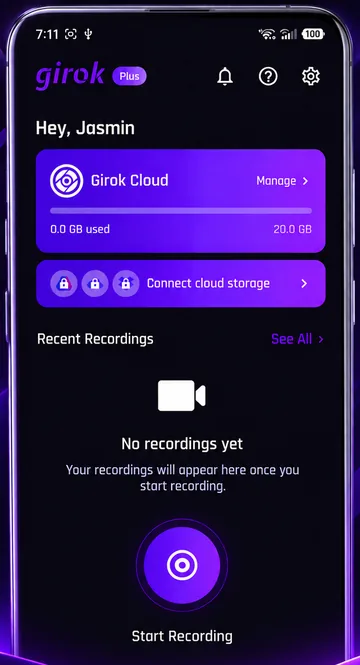
Getting started
From Install to First Clip.
Install Girok from Google Play
Tap Download now on Google Play above, then install and open the app.
Sign in
Use your Google account or your phone number.
Set up your recording
Choose a game or Entire Screen, then pick your quality, frame rate, orientation and audio.
Start recording
Allow Android's screen-capture prompt, wait for the 3-2-1 countdown, and play. Tap Save & Stop in the notification when you're done.
Permissions
What Girok Asks For, and Why.
Screen capture
Needed to record your display. Android asks before every recording — apps can't keep this permission permanently.
Microphone
Needed for all sound in your recordings — game audio and your voice. Without it, Girok records video only. You can still switch your voice off for any recording.
Notifications
Recommended, so recording controls appear in your notification shade. Recording works without it, but you'll need to return to Girok to stop.
Your Next Clip Starts Here.
Download Girok on Google Play and capture the moments worth remembering.